

MahaTenders, at mahatenders.gov.in, is the Government of Maharashtra’s e-procurement portal. State departments, municipal corporations, zilla parishads and boards publish their tenders there, and bidders submit online. It runs on NIC’s GePNIC software, the same as the central portal CPPP.
Enrolling is free, but since 15 August 2024 Maharashtra charges ₹500 for every bid. This guide covers enrolling, your DSC, logging in, paying and the problems people hit most. We checked every step on mahatenders.gov.in on 17 October 2026.
The short answer
- Cost: enrolling is free. Each bid costs a ₹500 application fee, plus the tender’s own fee and EMD.
- DSC: Class 3, signing certificate only.
- Login: your email as the login ID, a password and a captcha, then your DSC.
- Payment: online through SBI MOPS. From other banks, pay four days early.
- Help: 0120-4001002, 0120-4001005 or 0120-4493395, round the clock.
What is on MahaTenders
We counted the open MahaTenders tenders on Tenderkart on 17 October 2026:
- Mostly works. 1,685 of 2,459 open tenders were for works, 509 for services and 265 for goods.
- Very short deadlines. 1,860, about three in four, closed within 7 days. Check every day, or set an alert.
- City corporations lead. The Municipal Corporation of Greater Mumbai had the most open tenders (484), then Navi Mumbai Municipal Corporation (244).
- Mostly mid-sized. Where a value was given, the middle tender was worth about ₹14.5 lakh.
What you need before you start
- A Class 3 DSC with a signing certificate, in the name of the person who will bid, such as a director or the authorised signatory. MahaTenders’ DSC FAQ says you must prove your identity to get a Class 3 DSC, and that certifying authorities take three to seven days to issue one. A new DSC can then take up to 24 hours to become active on the portal.
- The DSC token’s driver, installed from your certifying authority.
- An email and a mobile number. The email becomes your login ID and can never be changed.
- Your firm’s details: PAN, registration number, registered address, partners or directors, year of establishment, legal status and MSME category if you have one.
- Chrome, Firefox or Edge.
How to enroll on MahaTenders
- Open mahatenders.gov.in and click Online Bidder Enrollment in the right-hand column.
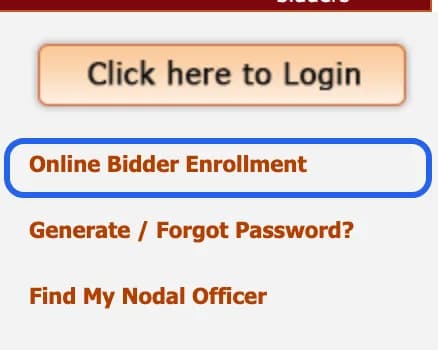
On the MahaTenders home page. Highlight added by Tenderkart. Screenshot taken 17 October 2026. - Fill the form. Your Login Id is your email, and it “cannot be modified once registered”. Add a correspondence email, your mobile, your company details and a contact person. Tick Preferential Bidder if you are an MSE or a startup. Type the captcha and click Submit.
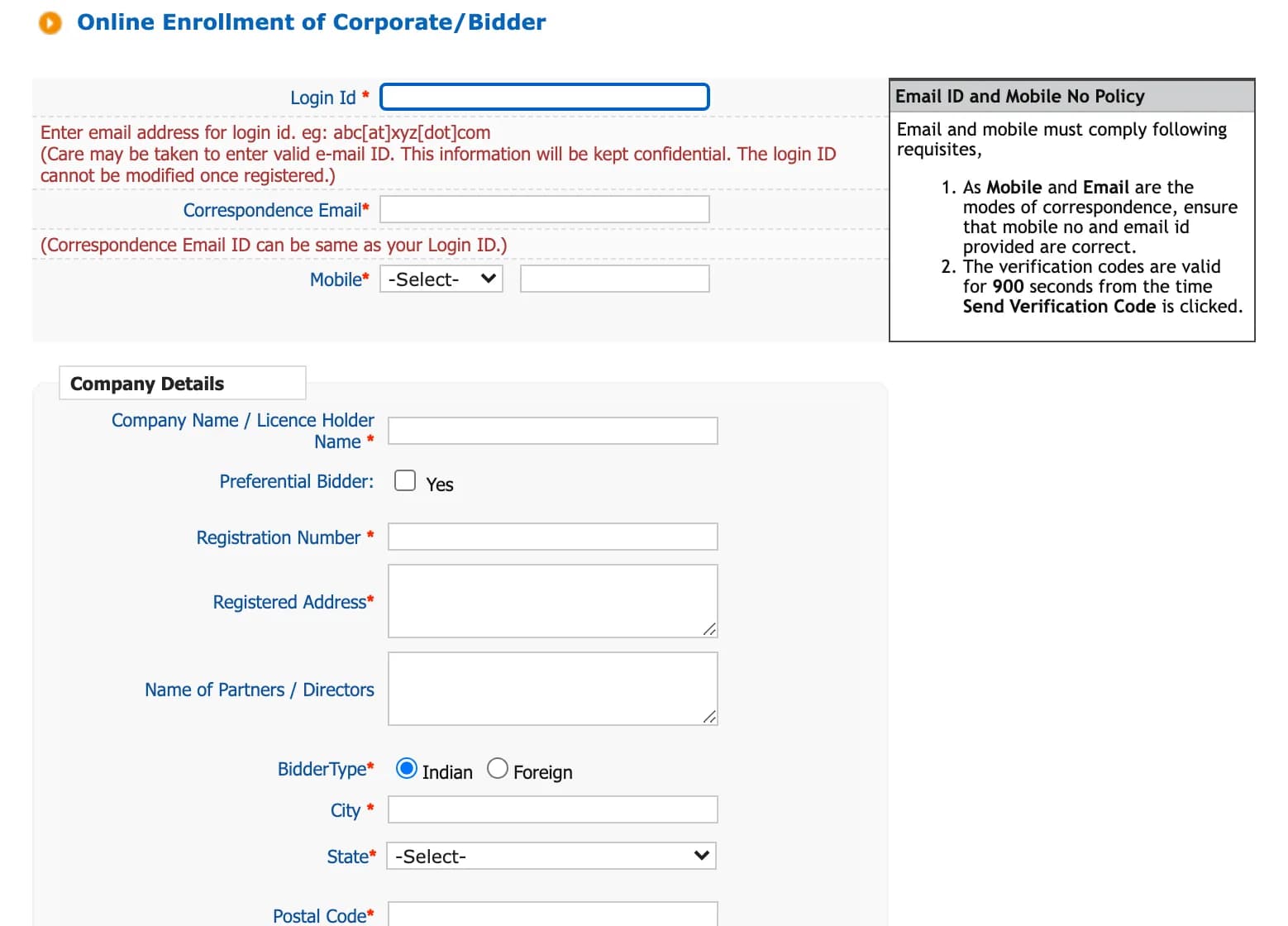
The MahaTenders enrollment form. Screenshot taken 17 October 2026. - Enter the verification codes sent to your email and mobile within 900 seconds (15 minutes), then set your password.
- Log in, plug in your DSC token and register your DSC: select your certificate and click OK. Until you do, you cannot bid.
How to log in to MahaTenders
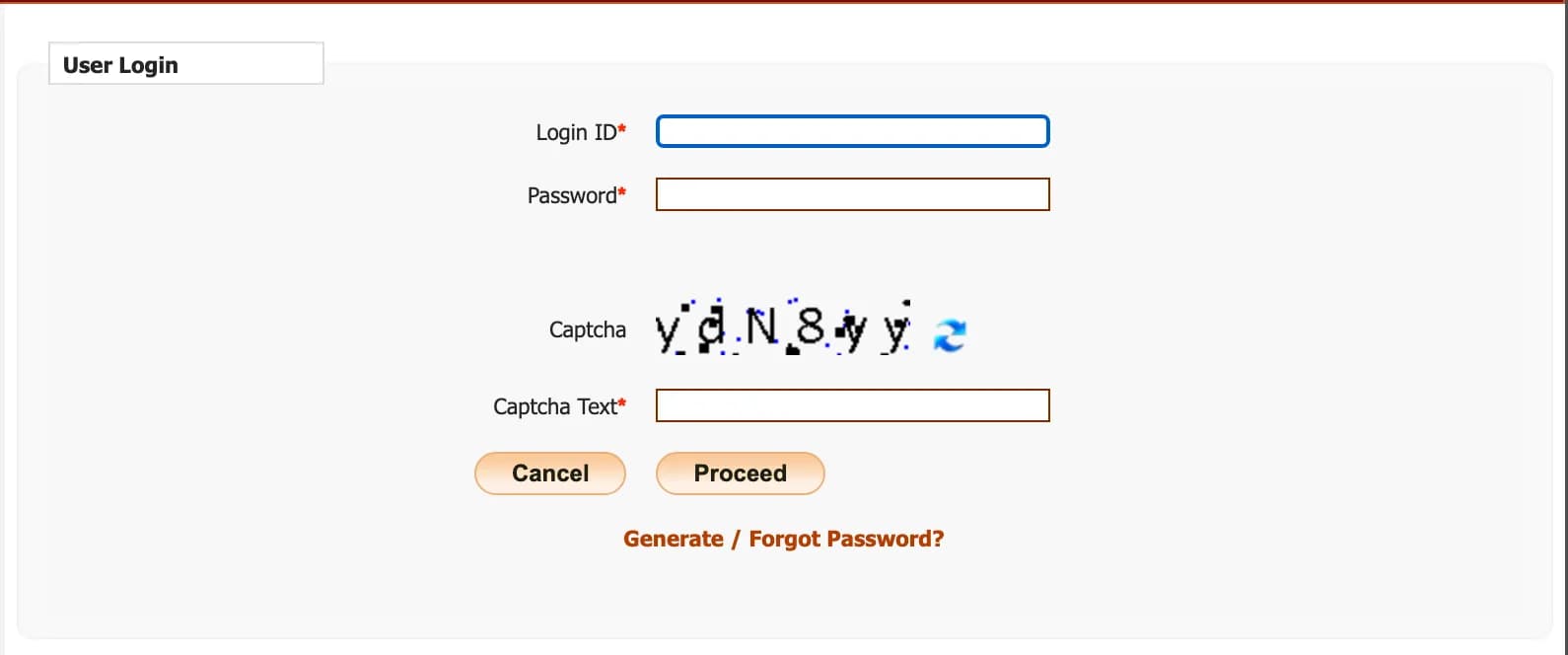
- Plug in your DSC token.
- Click Click here to Login. Enter your login ID (your email), your password and the captcha, and click Proceed.
- When asked for your DSC, select your certificate and enter the token PIN.
Forgot your password? Click Generate / Forgot Password?. The new password goes to the alternate email in your profile.
The ₹500 fee and paying
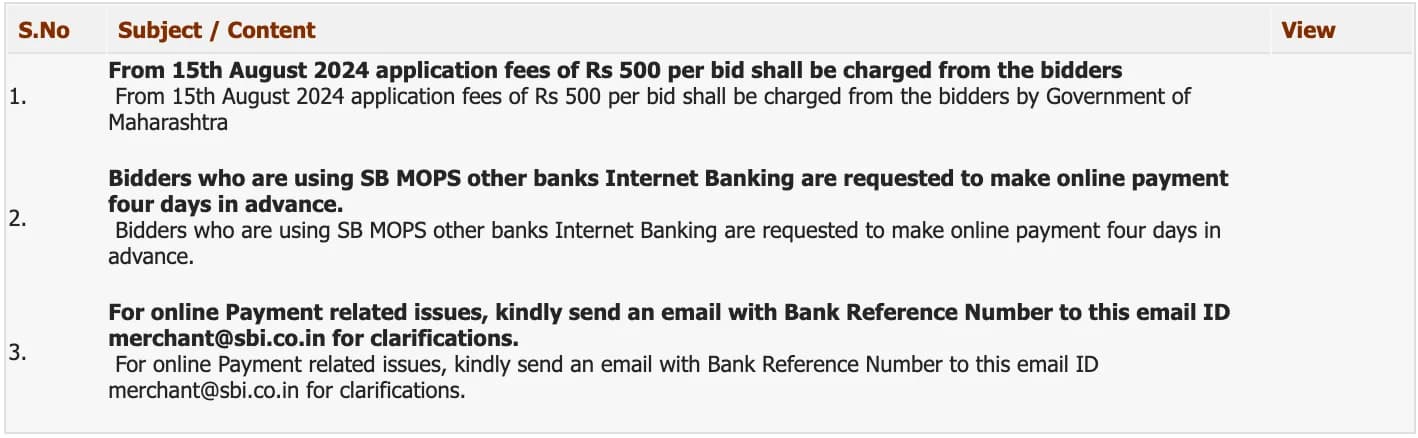
- ₹500 for every bid, charged by the Government of Maharashtra from 15 August 2024. Each tender still sets its own tender fee and EMD.
- Pay online through SBI MOPS. If you pay from a bank other than SBI, MahaTenders asks you to pay four days before the deadline.
- Payment problems: email the bank reference number to [email protected].
How to submit a bid
- Find the tender with Search Active Tenders and add it to My Tenders.
- Open it, click Proceed for Bid Submission and accept the terms.
- Pay the fees and EMD, or claim an exemption and upload your proof. Once you confirm, these details are locked.
- Upload your documents for each cover and sign them with your DSC. Fill only the open cells of the tender’s BoQ file, and do not rename it.
- Click Freeze Bid. A bid that is not frozen is invalid.
- Print the bid summary. It is your proof of submission.
The rules are the same on every NIC portal. Our CPPP and NIC portals guide explains each step, and the DSC rules, in more detail.
Fixes for common problems
Money left your account but the payment does not show
On the payment page, choose Pay Online and SBI MOPS, then click Payment Verification. If it still does not show, email the bank reference number to [email protected].
The portal does not list your DSC
Install the token driver and plug the token in before logging in. A DSC issued in the last 24 hours may not be active yet. A DSC already mapped to another account will not map to yours: NIC’s FAQ says a mapped DSC cannot be remapped to another account, only inactivated. Use another DSC, or ask the helpdesk.
Your DSC has expired
The portal inactivates it and asks for a new one at your next login. To switch before expiry, log in with the old DSC, remove it under DSC information on your dashboard, log out, and log in again to enroll the new one.
The token is blocked
Too many wrong PINs block the token. Only the certifying authority that issued it can unblock it.
MahaTenders helpdesk
- Technical help, 24×7: 0120-4001002, 0120-4001005 or 0120-4493395. Email [email protected].
- Payments: [email protected], with your bank reference number.
- Questions about a tender: the tender inviting authority named in it.
On the MahaTenders home page, Help For Contractors, Information About DSC, FAQ and Bidders Manual Kit hold the official instructions.
Questions people ask
Is MahaTenders registration free?
Enrolling is free: NIC, which runs the portal, does not charge bidders to enroll. Bidding is not: since 15 August 2024 the Government of Maharashtra charges an application fee of ₹500 for every bid.
What is the ₹500 fee on MahaTenders?
An application fee of ₹500 per bid, charged by the Government of Maharashtra from 15 August 2024, as announced on mahatenders.gov.in. Each tender still sets its own tender fee and EMD.
Which DSC do I need for MahaTenders?
A Class 3 DSC with a signing certificate, issued to the person who will bid, such as a director or the authorised signatory. A DSC can take up to 24 hours to become active on the portal after it is issued.
Can I use my CPPP DSC on MahaTenders?
Yes. NIC’s DSC FAQ says a valid DSC bought for another e-tendering portal can be enrolled on this one. You still need a separate MahaTenders enrollment.
How do I pay on MahaTenders?
Online through SBI MOPS. MahaTenders asks bidders paying from banks other than SBI to pay four days in advance. If money leaves your account but the payment does not show, use Payment Verification, or email the bank reference number to [email protected].
I forgot my MahaTenders password. What do I do?
Click “Generate / Forgot Password?” on the home page. NIC’s FAQ says the new password goes to the alternate email in your profile.
What is the MahaTenders helpdesk number?
MahaTenders lists NIC’s 24×7 helpdesk: 0120-4001002, 0120-4001005 and 0120-4493395, and the email [email protected]. For questions about a tender, contact the tender inviting authority named in it.
Are BMC tenders on MahaTenders?
Yes. The Municipal Corporation of Greater Mumbai had more open tenders on MahaTenders than any other buyer when we counted on 17 October 2026: 484 of 2,459.